Reduce Image Size in MB: Step-by-Step Guide
To use Reduce Image Size in MB, open the tool, choose your file, and let it process in your browser — nothing is uploaded. Set the exact size limit your form needs in KB or MB and get a picture that fits it, all… The result downloads straight to your device, free and without sign-up.
Reduce Image Size in MB is a browser-based tool that re-saves a photo at a smaller file size, so it fits the KB or MB limit that a form, portal or upload field asks for. It works by redrawing the image on a canvas and re-encoding it as a JPEG at a quality level chosen to land close to the target you need.
What Is Reduce Image Size in MB?
Reduce Image Size in MB is a browser-based tool that re-saves a photo at a smaller file size, so it fits the KB or MB limit that a form, portal or upload field asks for. It works by redrawing the image on a canvas and re-encoding it as a JPEG at a quality level chosen to land close to the target you need.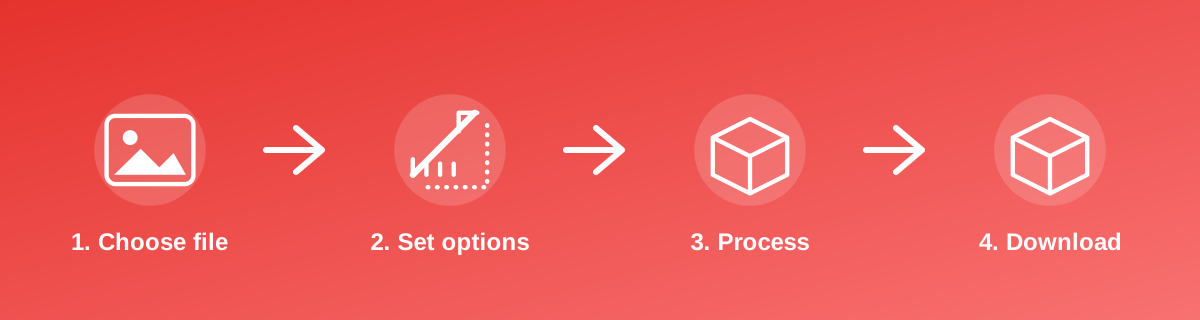
How to Use It — Step by Step
- Open Reduce Image Size in MB and select the photo from your device.
- Let the tool process the image — it runs locally in your browser.
- Check the reported output size against the limit you were given.
- Download the result and rename it if the destination form expects a specific filename.
Why Use This Tool?
- Built for forms and portals that reject anything over a stated file-size limit.
- Processing is local to your browser, not routed through a remote server.
- Free with unlimited use — no account required at any point.
- Performs the same whether you're on mobile data or a desktop connection.
Supported File Formats
Reduce Image Size in MB accepts: AVIF, BMP, GIF, JFIF, JPEG, JPG, PNG, WEBP. Always confirm the accepted formats on the tool page itself if you are working with an unusual file type.
Quality, Resolution and File Size Considerations
Compressing to a small KB target always trades away some detail. The tool aims for the lightest quality setting that still gets under the limit, but very small targets (5–20 KB) can visibly soften fine text, sharp edges and skin tones. If the result looks too rough, try starting from a smaller source image (lower pixel dimensions) rather than compressing a huge photo very hard — a right-sized image compresses more gently.
Is It Safe and Private?
Reduce Image Size in MB runs its processing in your browser using your device's own resources. The tool code does not make an upload request for the file you select, so your file is not sent to a server for this task. Keep in mind that no tool can guarantee what happens after you download and share a file elsewhere — that depends on where you send it next.
Best Practices
- Avoid compressing a file that has already been compressed once; quality loss compounds each time.
- When the size limit is under 20 KB, shrink the dimensions before running compression.
- Confirm the final size against the exact limit stated by the form, not an approximate figure.
- Save the original elsewhere so future forms with different limits don't force you to start over.
Common Problems and Fixes
The output is still above the limit Very detailed or large photos may not reach a very small target through compression alone. Reduce the pixel dimensions first with a resize tool, then compress again.
The photo looks blurry or blocky That is expected at very small KB targets. Use a smaller source image so less compression is needed to reach the same file size.
The file format changed The tool saves the result as JPEG, since JPEG compresses photographs far better than PNG. If you need to keep transparency, this tool is not the right one.
Frequently Asked Questions
Yes, this tool is free with no daily limit and no watermark added to the result.
No sign-up is required. Open the tool page and use it directly.
No — the tool processes your file in your own browser, so it is not uploaded anywhere for this task.
Yes, the tool page is mobile-friendly and works in a phone browser as well as on a desktop.
No, the tool only changes the file size (bytes), not the width and height in pixels. Use a resize tool if you also need different dimensions.
Yes — always compress again from the original file rather than from an already-compressed copy, since repeated compression loses more detail each time.
Related Tools
Key Takeaways
- Reduce Image Size in MB runs in your browser — free, no sign-up, and your file is not uploaded for this task.
- Follow the four steps above and check the result before you rely on it for a form, portal or upload.
- Keep your original file, since results from lossy or destructive edits cannot always be undone.
Reviewed and updated 25 September 2026 by the iLikePDF Editorial team. This guide describes how the Reduce Image Size in MB tool on iLikePDF works; always verify results against the specific requirements of the form, portal or platform you are submitting to.