About Image Size Converter
Image Size Converter aims to bring an image below a chosen maximum file size. Select the photo, enter the target maximum KB value shown by the interface, process and inspect the saved file.
iLikePDF's Image Size Converter tool lets you re-save a photo as a JPEG and try to stay under a KB limit such as 50 KB or 100 KB – free and without any software. It is a good fit for upload a photo or signature to an application form with a size limit, attach a passport-size photo that must stay under 50 KB or 100 KB and reduce a scan for a portal that rejects large files. You may also know it as image size converter online, free image size converter.
Everything happens in your browser: your files are not uploaded to our servers. It is private by design, quick to use and mobile-friendly.
Full walkthrough: How to Reduce Image Size to 50 KB, 100 KB or 200 KB for Online Forms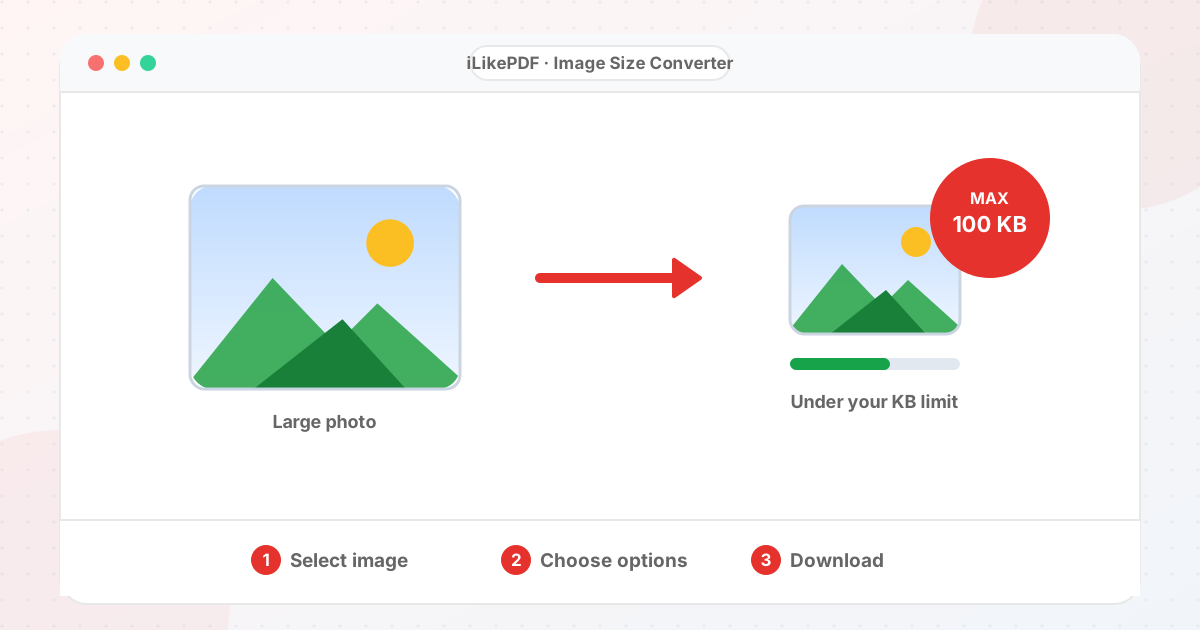
How to Use Image Size Converter
- Choose the photo and type the maximum size in KB.
- Select Convert Photo Size to Target KB.
- Read the message: it shows the final size and tells you if the target was reached.
- If the target was not reached, shrink the pixel dimensions first with Resize Image and run the converter again.
Before & After
Before (Your original file(s))
- Files as you have them
- Nothing has been changed yet
After (New result file)
- A new file downloads to your device
- Your original stays untouched
Conceptual illustration, not a screenshot.
Supported Input and Output
| Accepted input | Any image your browser can open. | ||||||||||||||||||||||||
| Control | Target maximum size in KB (default 100). | ||||||||||||||||||||||||
| Method | The image is saved as JPEG at decreasing quality levels, starting near 0.9, until the file is at or under the target or the lowest quality is reached. Dimensions are not changed. | ||||||||||||||||||||||||
| Output | A JPEG named | Result message | The message states the final size and whether the target was reached. | File handling | Everything runs in your browser through the canvas API. The page loads no processing library, and the tool code makes no upload request. | Image Size Converter Features
Who Should Use Image Size Converter?
Use Cases and Output ChecksCommon uses
Check the output
Limitations and Troubleshooting
Common problems
Related Tools and GuidesQuick Summary
Share This ToolIf you found this tool useful, share it with friends and classmates: DisclaimerImage Size Converter is for personal and educational use. Check your local laws and your organisation's rules before you process copyrighted or sensitive documents. Results depend on your file and browser, so always check the output before you use it. FAQs – Image Size Converter1. Image Size Converter kaise use karein?Apni file select karein, settings check karein aur “Convert Photo Size to Target KB” button dabayein. Result neeche dikhega; phir Download par tap karein. 2. Kya Image Size Converter free hai?Haan, iLikePDF ka Image Size Converter tool bilkul free hai. Koi payment ya signup nahi chahiye. 3. Kya main mobile se Image Size Converter use kar sakta hoon?Haan, yeh tool mobile-friendly hai. Aap Android ya iPhone ke browser se bhi Image Size Converter use kar sakte hain. 4. Kya meri file upload hoti hai?Nahi. Yeh tool aapke browser me chalta hai; aapki file iLikePDF ke server par upload nahi hoti. (Kuch features ek helper library CDN se load karte hain, lekin aapki file unme nahi jaati.) 5. What does Image Size Converter do?Image Size Converter aims to bring an image below a chosen maximum file size. Use it when the required result matches this operation; keep a separate copy of the source. 6. How do I use Image Size Converter online?Select the photo, enter the target maximum KB value shown by the interface, process and inspect the saved file. Open the downloaded result before sending it to someone else. 7. Which source should I prepare for Image Size Converter?Prepare the photo plus the destination’s file-size, pixel and format requirements. Start with a file that opens correctly in its usual viewer. A renamed extension does not convert the underlying format. 8. What should I check in the Image Size Converter output?Check actual byte size, dimensions, format and legibility against the destination rules. Keep the original until the result has passed these checks. 9. Can every photo become exactly 50 KB?Exact byte size is not a useful universal guarantee. The practical goal is usually an acceptable file below the destination’s maximum while keeping required dimensions and clarity. 10. Does 100 KB describe image width or height?No. KB measures stored data size. Pixel dimensions describe width and height, and both requirements may apply to the same upload. 11. Why does a file under the KB limit still get rejected?It may use the wrong format, dimensions, filename or content. Read the full upload rules and check each requirement separately. 12. What is the difference between KB and KiB?They use different byte multiples: KB commonly means 1,000 bytes and KiB 1,024 bytes. Interfaces may label them loosely, so leave room below a strict maximum. 13. Should I resize before reducing to a KB target?Set the required pixel dimensions first when they are specified. Then adjust compression so both dimensions and byte-size requirements can be met. 14. Why did my signature image become blurry?A very small target can force detail loss. Use a clean source with little empty space and keep the characters readable at the required dimensions. 15. Can I increase an image to a minimum size requirement?Adding bytes does not improve content quality. Use a suitable higher-quality source and follow the destination’s real resolution and format requirements. 16. Does this tool guarantee government portal acceptance?No. Each portal has its own validation and content rules. Verify the downloaded file against the current instructions before submitting. 17. Why might Image Size Converter fail on a large file?Some source images cannot meet a very low size target without unacceptable detail loss. Close unnecessary tabs and test a smaller non-confidential sample to separate a file-specific problem from a browser problem. 18. When is Image Size Converter useful?Prepare a photo or signature image for an application portal. Confirm the recipient’s requirements before preparing the final version. 19. What can I do after using Image Size Converter?Related next steps include Resize Image, Compress Image, Convert Image Format. Choose one only when you need that additional operation. Review the an image optimized toward the selected maximum KB size before applying another change, and retain your source copy. |