Online Signature Maker: Step-by-Step Guide
To use Online Signature Maker, open the tool, choose your file, and let it process in your browser — nothing is uploaded. Make a English signature image online: type it, draw it or clean up a photo of your own… The result downloads straight to your device, free and without sign-up.
Online Signature Maker creates or resizes a signature image — by typing, drawing or uploading one — so it fits the exact dimensions a form, bank or exam portal requires, all inside your browser.
What Is Online Signature Maker?
Online Signature Maker creates or resizes a signature image — by typing, drawing or uploading one — so it fits the exact dimensions a form, bank or exam portal requires, all inside your browser.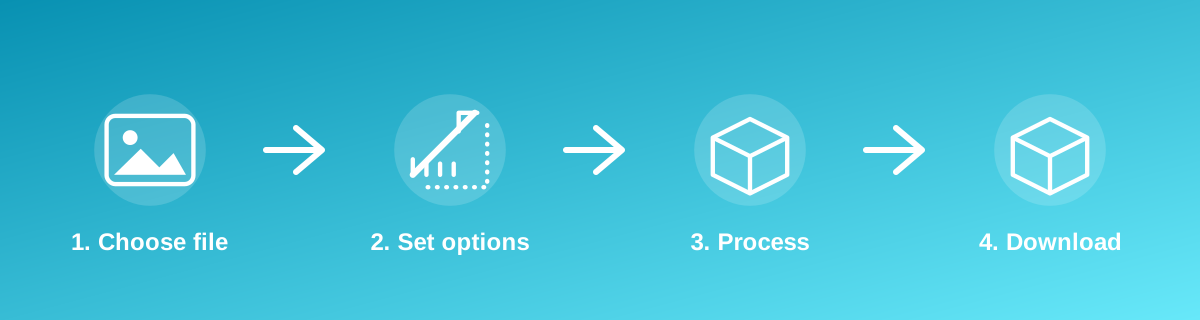
How to Use It — Step by Step
- Open Online Signature Maker and provide your signature — type, draw or upload it.
- Set the size the destination form requires.
- Preview the result on a white background.
- Download the signature image ready to upload elsewhere.
Why Use This Tool?
- Produces a signature image sized to common form and portal requirements.
- No scanner or desktop editing software required.
- Runs locally in your browser rather than uploading your signature to a server.
- Free to regenerate as many times as needed until it looks right.
Supported File Formats
Online Signature Maker accepts: AVIF, BMP, GIF, JFIF, JPEG, JPG, PNG, WEBP. Always confirm the accepted formats on the tool page itself if you are working with an unusual file type.
Quality, Resolution and File Size Considerations
A signature is mostly thin dark lines on a light background, so it compresses very well — the main quality risk is a background that isn't fully white or transparent, or lines that become jagged at a very small pixel size. Draw or scan at a reasonably large size, then let the tool resize down, rather than starting from a tiny image.
Is It Safe and Private?
Online Signature Maker runs its processing in your browser using your device's own resources. The tool code does not make an upload request for the file you select, so your file is not sent to a server for this task. Keep in mind that no tool can guarantee what happens after you download and share a file elsewhere — that depends on where you send it next.
Best Practices
- Use plain black or blue ink on white paper if scanning a signature, for the cleanest result.
- Draw slowly if using an on-screen signature pad, since fast strokes can produce broken lines.
- Check the exact required dimensions and background (white vs transparent) before submitting.
- Save a copy of the clean signature image so you don't need to redraw it for the next form.
Common Problems and Fixes
The signature looks jagged or pixelated This happens when a very small source image is enlarged. Draw or scan at a larger size, then let the tool resize down instead of up.
The background isn't pure white Uneven lighting or a shadow behind a scanned signature can leave a tint. Scan against plain white paper in even light for the cleanest background.
The portal rejects the file size Signature files are usually small already; if a portal still rejects it, check whether it wants a specific pixel size rather than just a KB limit.
Frequently Asked Questions
Yes, this tool is free with no daily limit and no watermark added to the result.
No sign-up is required. Open the tool page and use it directly.
No — the tool processes your file in your own browser, so it is not uploaded anywhere for this task.
Yes, the tool page is mobile-friendly and works in a phone browser as well as on a desktop.
Yes — dedicated tools exist for Hindi, Marathi and Tamil signatures if you need script-specific styling; this tool otherwise works with any drawn or typed signature.
That depends on the specific tool — check the result before submitting if the destination form requires a transparent PNG rather than a white background.
Related Tools
Key Takeaways
- Online Signature Maker runs in your browser — free, no sign-up, and your file is not uploaded for this task.
- Follow the four steps above and check the result before you rely on it for a form, portal or upload.
- Keep your original file, since results from lossy or destructive edits cannot always be undone.
Reviewed and updated 25 September 2026 by the iLikePDF Editorial team. This guide describes how the Online Signature Maker tool on iLikePDF works; always verify results against the specific requirements of the form, portal or platform you are submitting to.