About JPG to PDF Under 1 MB
Add your pictures, put them in the right order and press the button. The tool lowers image quality and size step by step until the PDF is under 1 MB, then shows the final size.
iLikePDF's JPG to PDF Under 1 MB tool lets you turn one or more JPG or PNG pictures into a single PDF of 1 MB or less – free and without any software. It is a good fit for ID proofs, certificates and mark sheets for online forms, resumes and portfolios saved from photos and scans of bills or receipts sent by email. You may also know it as convert jpg to pdf under 1 mb, image to pdf 1 mb.
Everything happens in your browser: your files are not uploaded to our servers. It is private by design, quick to use and mobile-friendly.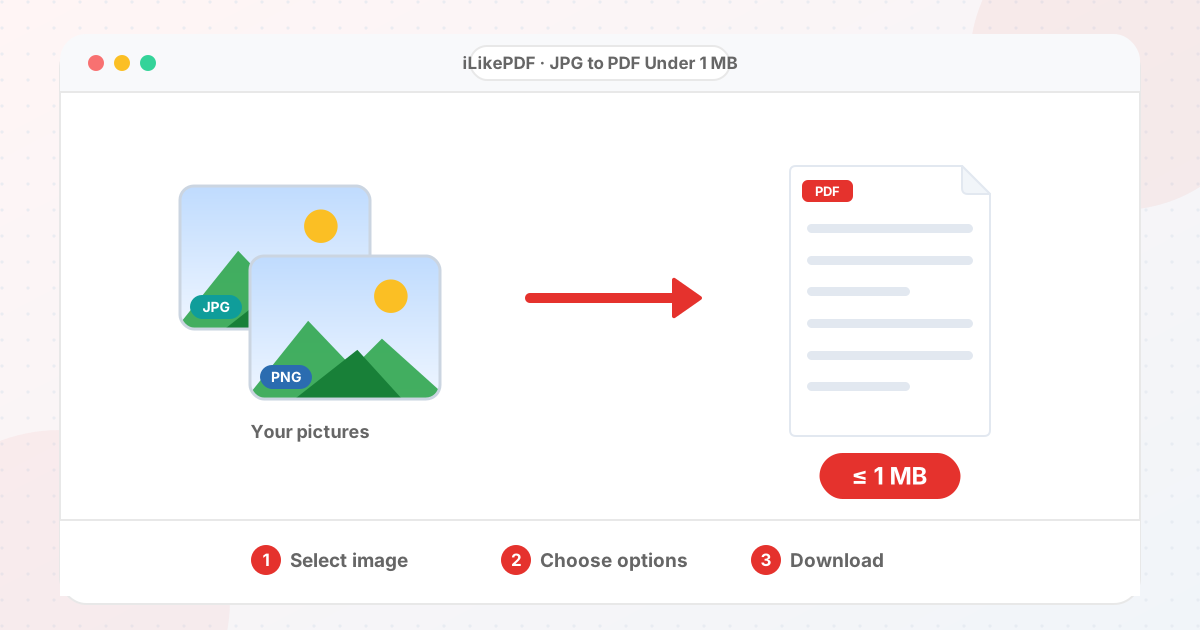
How to Use JPG to PDF Under 1 MB
- Choose one or more images. Use the arrows to change the order.
- Choose a page size: A4, US Letter, or the same size as each image.
- Set orientation and margin (automatic orientation suits mixed portrait and landscape pages).
- Press the button to build the PDF.
- Download it and open it once to check the page order.
Before & After
Before (Pictures or a heavy PDF)
- Several images or a large file
- Portal says file too large
- Hard to email
After (One PDF under 1 MB)
- Single file, pages in order
- Size inside your limit
- Easy to upload
Conceptual illustration, not a screenshot.
Supported Input and Output
| Input | JPG, PNG, WebP, GIF, BMP, AVIF |
| Output | One PDF at or under 1 MB |
| Page size | A4, US Letter or fit to image |
| Size limit | 1 MB |
| Order | You choose |
| Upload | None: runs in your browser |
JPG to PDF Under 1 MB Features
- ✅ 100% free – no payment, no sign-up, no watermark.
- ✅ No software – convert jpg to pdf under 1 mb straight in your browser.
- ✅ Private by design – your file is processed on your device, not uploaded to our servers.
- ✅ Original kept – a new file is created.
- ✅ Works on mobile and desktop – Android, iPhone, Windows and Mac.
Who Should Use JPG to PDF Under 1 MB?
- Students – Send scanned notes and assignments as one PDF that fits an email or portal limit.
- Job Seekers – Create a resume or certificate PDF under the size a job portal allows.
- Professionals – Email lightweight reports, quotes and invoices.
- Small Businesses – Share catalogues and bills as small PDFs on WhatsApp.
- General Users – Store ID and document copies as compact PDFs.
How Many Pages Fit in 1 MB?
The size limit applies to the whole PDF, so more pages means less room for each one. The table shows the rough space per page when you stay under 1 MB.
| Pages | Space per page |
|---|---|
| 1 | 1024 KB |
| 2 | 512 KB |
| 3 | 341 KB |
| 5 | 205 KB |
Documents on white paper compress far better than colour photographs, so scan or photograph them flat and in good light.
Tips for Best Results
- Photograph documents flat, in daylight, with the page filling the frame.
- Crop away table and background before you convert.
- For a size limit, black-and-white or high-contrast scans end up much lighter.
Limits and Things to Know
- Pictures are embedded as JPG pictures, so text inside them cannot be selected or searched.
- Transparent PNG areas become white.
- Many pages with a small limit lowers each page's quality a lot.
Related Tools and Guides
Quick Summary
| Feature | Details |
|---|---|
| Tool name | JPG to PDF Under 1 MB |
| Cost | 100% free |
| Software required | No |
| File upload | No – processed in your browser |
| Supported devices | Mobile & desktop |
| Best for | ID proofs, certificates and mark sheets for online forms |
Share This Tool
If you found this tool useful, share it with friends and classmates:
Disclaimer
JPG to PDF Under 1 MB is for personal and educational use. Check your local laws and your organisation's rules before you process copyrighted or sensitive documents. Results depend on your file and browser, so always check the output before you use it.
FAQs – JPG to PDF Under 1 MB
1. JPG to PDF Under 1 MB kaise use karein?
Apni file select karein, settings check karein aur “Create PDF under 1 MB” button dabayein. Result neeche dikhega; phir Download par tap karein.
2. Kya JPG to PDF Under 1 MB free hai?
Haan, iLikePDF ka JPG to PDF Under 1 MB tool bilkul free hai. Koi payment ya signup nahi chahiye.
3. Kya main mobile se JPG to PDF Under 1 MB use kar sakta hoon?
Haan, yeh tool mobile-friendly hai. Aap Android ya iPhone ke browser se bhi JPG to PDF Under 1 MB use kar sakte hain.
4. Kya meri file upload hoti hai?
Nahi. Yeh tool aapke browser me chalta hai; aapki file iLikePDF ke server par upload nahi hoti. (Kuch features ek helper library CDN se load karte hain, lekin aapki file unme nahi jaati.)
5. How do I convert a JPG to PDF under 1 MB?
Add the image, press the button and download. The tool keeps reducing quality and size until the PDF is under 1 MB.
6. Can I combine several images into one PDF?
Yes. Add all the images, reorder them with the arrows and one PDF is created with a page per image.
7. Why does my PDF look softer than the photo?
To reach a small size, pictures are saved at lower quality and fewer pixels. Raise the size limit or use fewer pages if it looks too soft.
8. Can the PDF text be searched?
No. The pages are pictures. Use an OCR tool if you need searchable text.
9. How can I convert image to pdf below 1 mb online?
Use JPG to PDF Under 1 MB on this page: choose your file, check the settings and press the button. The result downloads to your device.
10. What is the best way to jpg to pdf under 1 mb?
The quickest way is JPG to PDF Under 1 MB on this page. Choose your file, check the settings and press the button. Nothing needs to be installed.