PDF to Long Image: Step-by-Step Guide
To use PDF to Long Image, open the PDF to Long Image tool, choose your file, click the main button and download the result. Join all PDF pages into one tall image. It is free and runs in your browser.
PDF to Long Image lets you join all PDF pages into one tall image. This guide explains each step, what to check and how to fix common problems.
What Is PDF to Long Image?
A long image puts every PDF page one below the other in a single picture. It is handy for sharing a short document in a chat app or posting it where only images are accepted.
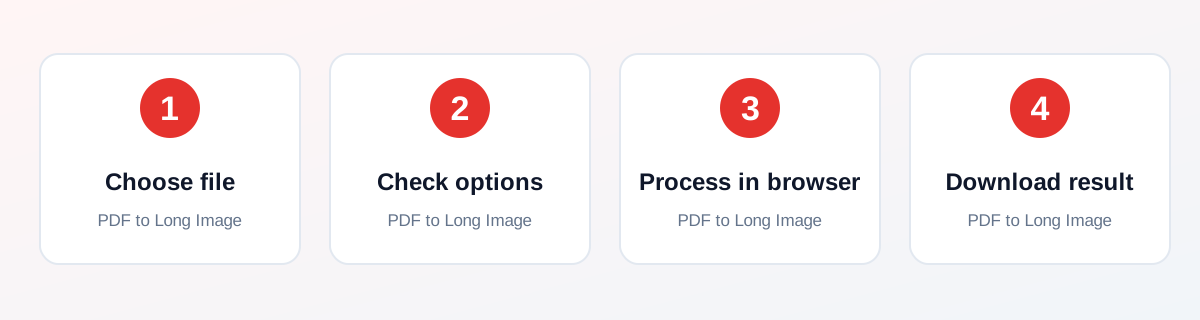
How to Use It — Step by Step
- Open this tool and choose your PDF (or drag and drop it onto the upload box).
- Choose PNG (sharper) or JPG (smaller).
- Click Create Long Image and wait while the pages are drawn.
- Open the image that downloads and scroll down to check every page.
Why Use This Tool?
- Share a one- or two-page document in WhatsApp as a single image.
- Post a PDF on a site that only accepts images.
- Save a short document as a scrollable picture.
- No sign-up, no watermark and no payment.
- Processing happens in your browser, not on a server.
Supported File Formats
PDF to Long Image accepts: One PDF (.pdf). Output: One image named <your file name>-long.png or .jpg with all pages joined top to bottom.
Is It Safe and Private?
The rendering code runs in your browser. The file is not sent to our servers. You can keep your original file, because the tool saves a new one.
Best Practices
- Keep a copy of your original file until you have checked the result.
- Check the output carefully before you share it.
- Test with a smaller, non-confidential file first if you are unsure.
Common Problems and Fixes
Browsers limit the size of an image. For long PDFs the tool lowers the resolution automatically.
Text in the image is a picture and cannot be selected or searched.
Very long PDFs may fail on phones with little memory. Split the PDF first.
Nothing downloads after clicking the button Check that your browser is not blocking downloads or pop-ups, then try again.
Frequently Asked Questions
Yes. PDF to Long Image is completely free, with no daily limit, no watermark and no account needed.
No. Open the PDF to Long Image tool page in your browser, choose your file and run it. There is nothing to install.
No. The processing runs in your own browser, so your file stays on your device.
Yes. It works in the browser on Android, iPhone, Windows and Mac.
It draws every page of your PDF and joins them top to bottom into one tall image.
PNG is sharper and keeps text crisp. JPG makes a smaller file, which is easier to send.
Browsers cannot make an image that is too tall, so the tool lowers the resolution automatically for long PDFs.
Yes. It runs in your browser, so your PDF stays on your device.
No. The text is part of the picture. Keep the PDF if you need to copy text.
Not in this tool. Use Extract Pages first, then convert the new PDF.
Related Tools
See all 232 tools, the guide library or the tool page: PDF to Long Image.