SVG to PDF: Step-by-Step Guide
To use SVG to PDF, open the SVG to PDF tool, choose your file, click the main button and download the result. Convert SVG graphics into a PDF. It is free and runs in your browser.
SVG to PDF lets you convert SVG graphics into a PDF. This guide explains each step, what to check and how to fix common problems.
What Is SVG to PDF?
SVG files are great for logos and diagrams, but not every printer or form accepts them. This tool draws each SVG as a sharp image on its own PDF page, so you can share or print it as a normal PDF.
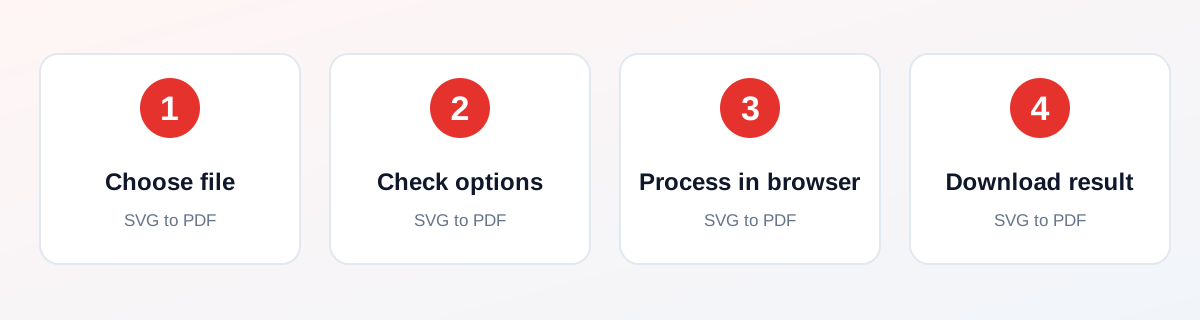
How to Use It — Step by Step
- Open this tool and choose one or more SVG files (or drag and drop them onto the upload box).
- Check the files you selected. Each SVG becomes one page.
- Click Convert to PDF and wait for the short in-browser step.
- Open the PDF that downloads and zoom in to check the graphic before you share it.
Why Use This Tool?
- Send a logo or diagram as a PDF to a print shop.
- Put several SVG icons or charts into one PDF.
- Share a vector graphic with someone who cannot open SVG files.
- No sign-up, no watermark and no payment.
- Processing happens in your browser, not on a server.
Supported File Formats
SVG to PDF accepts: One or more SVG files (.svg). Output: One PDF named svg-graphics.pdf with one graphic per page.
Is It Safe and Private?
The conversion code runs in your browser. The files are not sent to our servers. You can keep your original file, because the tool saves a new one.
Best Practices
- Keep a copy of your original file until you have checked the result.
- Check the output carefully before you share it.
- Test with a smaller, non-confidential file first if you are unsure.
Common Problems and Fixes
The SVG is turned into a high-resolution image inside the PDF, so the PDF text and shapes are not editable vector objects.
SVG files that load outside images or fonts may look different, because the browser blocks external files for safety.
An SVG with no size or viewBox is drawn at 1024 x 1024 pixels.
Nothing downloads after clicking the button Check that your browser is not blocking downloads or pop-ups, then try again.
Frequently Asked Questions
Yes. SVG to PDF is completely free, with no daily limit, no watermark and no account needed.
No. Open the SVG to PDF tool page in your browser, choose your file and run it. There is nothing to install.
No. The processing runs in your own browser, so your file stays on your device.
Yes. It works in the browser on Android, iPhone, Windows and Mac.
It draws each SVG as a high-resolution image on its own page of a new PDF.
The graphic is drawn at a high resolution, so it stays sharp at normal zoom levels. It is not a true vector PDF.
Yes. Select several files together. Each one becomes a page in the same PDF.
Yes. The conversion runs in your browser, so your files stay on your device.
SVGs that depend on external fonts or linked images cannot load those files in the browser, so they may look different.
The page takes the size of your graphic. If you need A4, run the PDF through Resize PDF afterwards.
Related Tools
See all 232 tools, the guide library or the tool page: SVG to PDF.