WebP to PDF: Step-by-Step Guide
To use WebP to PDF, open the WebP to PDF tool, choose your file, click the main button and download the result. Convert WebP images into a PDF. It is free and runs in your browser.
WebP to PDF lets you convert WebP images into a PDF. This guide explains each step, what to check and how to fix common problems.
What Is WebP to PDF?
WebP is a compact image format used by websites, but many forms, email systems and printers still ask for a PDF. This tool places each WebP image on its own PDF page, in the order you select them.
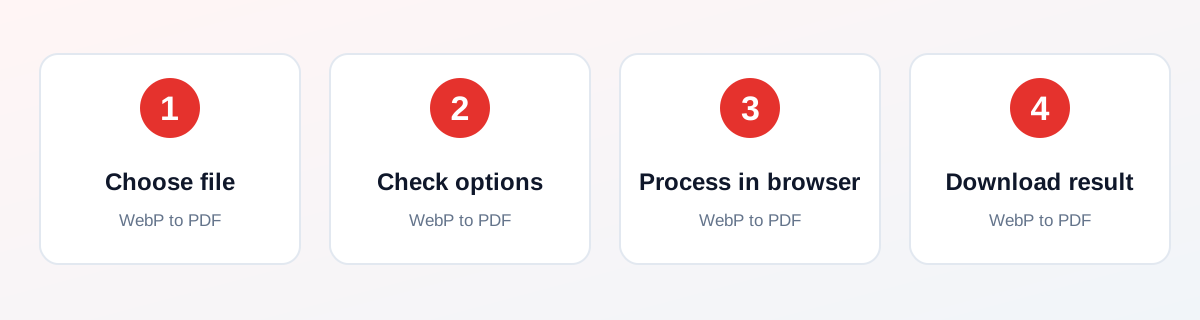
How to Use It — Step by Step
- Open this tool and choose one or more WebP images (or drag and drop them onto the upload box).
- Check the order of the files you selected. Each image becomes one page.
- Click Convert to PDF and wait for the short in-browser step.
- Open the PDF that downloads and check every page before you share it.
Why Use This Tool?
- Send a WebP image saved from a website as a PDF attachment.
- Combine several WebP screenshots or downloads into one document.
- Turn a WebP photo into a PDF for a form that only accepts PDF.
- No sign-up, no watermark and no payment.
- Processing happens in your browser, not on a server.
Supported File Formats
WebP to PDF accepts: One or more WebP images (.webp). Output: One PDF named webp-images.pdf with one image per page. Each page has the same size as its image.
Is It Safe and Private?
The conversion code runs in your browser. The files are not sent to our servers. You can keep your original file, because the tool saves a new one.
Best Practices
- Keep a copy of your original file until you have checked the result.
- Check the output carefully before you share it.
- Test with a smaller, non-confidential file first if you are unsure.
Common Problems and Fixes
Each image is redrawn on a canvas by your browser, so very large images can be slow on old phones.
Animated WebP files give a PDF page from the first frame only.
If your browser cannot open a WebP file, the tool skips it and tells you.
Nothing downloads after clicking the button Check that your browser is not blocking downloads or pop-ups, then try again.
Frequently Asked Questions
Yes. WebP to PDF is completely free, with no daily limit, no watermark and no account needed.
No. Open the WebP to PDF tool page in your browser, choose your file and run it. There is nothing to install.
No. The processing runs in your own browser, so your file stays on your device.
Yes. It works in the browser on Android, iPhone, Windows and Mac.
It places each WebP image on its own page of a new PDF and gives you the file to download.
Yes. Select several files together. They are added in the order you chose, one image per page.
Yes. The conversion runs in your browser, so your images stay on your device.
The image is converted with its transparency, so transparent areas show the page color (white) in most PDF viewers.
Only the first frame is used. A PDF page cannot play an animation.
No. Each PDF page takes the pixel size of the image, so nothing is cropped or stretched.
Related Tools
See all 232 tools, the guide library or the tool page: WebP to PDF.