HEIC to PNG Converter: Step-by-Step Guide
To use HEIC to PNG Converter, open the tool, choose your file, and let it process in your browser — nothing is uploaded. Convert HEIC to PNG in your browser. No upload, no watermark. The result downloads straight to your device, free and without sign-up.
HEIC to PNG Converter converts a picture from one image format to another directly in your browser, so you get a file your intended destination — a website, an app or a form — actually accepts.
What Is HEIC to PNG Converter?
HEIC to PNG Converter converts a picture from one image format to another directly in your browser, so you get a file your intended destination — a website, an app or a form — actually accepts.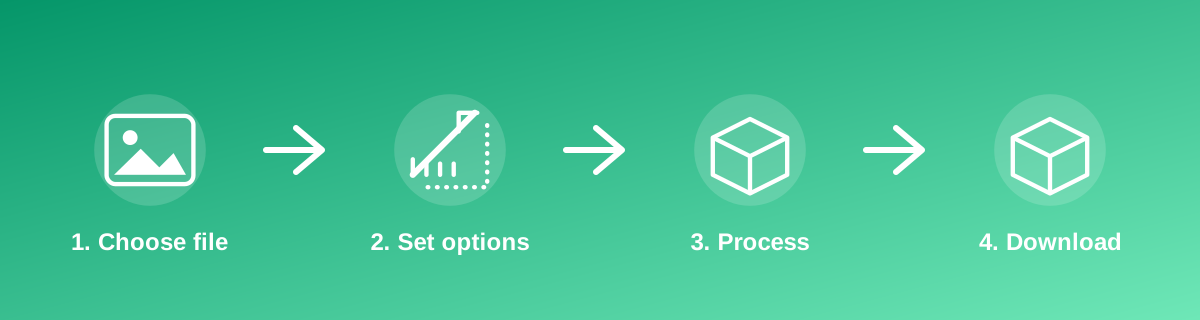
How to Use It — Step by Step
- Open HEIC to PNG Converter and select the source image.
- The tool converts the file format in your browser.
- Preview the converted image.
- Download the new file in the target format.
Why Use This Tool?
- Turns an unsupported format such as HEIC, AVIF or JFIF into a universally accepted PNG or PNG.
- No desktop software or codec pack needs installing.
- The conversion happens on your device; the picture is not uploaded anywhere.
- Free, with no limit on how many times you use it.
Supported File Formats
HEIC to PNG Converter accepts: AVIF, BMP, GIF, HEIC, HEIF, JFIF, PNG, PNG, PNG, WEBP. Always confirm the accepted formats on the tool page itself if you are working with an unusual file type.
Quality, Resolution and File Size Considerations
Converting between formats can affect quality and transparency. PNG does not support transparency and always applies some compression; PNG is lossless but keeps a larger file size; WebP can do either, depending on settings. Converting a PNG to PNG will not restore detail already lost to PNG compression — the source format's limitations carry through.
Is It Safe and Private?
HEIC to PNG Converter runs its processing in your browser using your device's own resources. The tool code does not make an upload request for the file you select, so your file is not sent to a server for this task. Keep in mind that no tool can guarantee what happens after you download and share a file elsewhere — that depends on where you send it next.
Best Practices
- Convert from the original file whenever possible, not from a copy that has already been compressed.
- Keep PNG or WebP if the image needs a transparent background; PNG will fill transparency with a solid colour.
- Check that the destination (website, app, print shop) actually requires the new format before converting.
- Verify the converted file opens correctly before deleting the original.
Common Problems and Fixes
Transparency disappeared after conversion PNG cannot store transparency. Convert to PNG or WebP instead if you need to keep a transparent background.
The file looks lower quality than expected PNG is lossless, so quality is kept. If the file is too large, convert it to JPG instead.
The browser won't open the source file Some formats such as HEIC are captured by phone cameras but not opened by every browser; if the tool doesn't accept it directly, check the exact accepted formats listed on the tool page.
Frequently Asked Questions
Yes, this tool is free with no daily limit and no watermark added to the result.
No sign-up is required. Open the tool page and use it directly.
No — the tool processes your file in your own browser, so it is not uploaded anywhere for this task.
Yes, the tool page is mobile-friendly and works in a phone browser as well as on a desktop.
HEIC to PNG Converter is built specifically to reach this target — check the on-page result against the HEIC → PNG figure before you rely on it.
WebP typically gives the smallest file size for a given quality; PNG is the safest universal choice; PNG is best when transparency is required.
It can, depending on the source and target formats, but format conversion and compression are different operations — use a dedicated compression tool if size is the main goal.
Related Tools
Related Guides
Key Takeaways
- HEIC to PNG Converter runs in your browser — free, no sign-up, and your file is not uploaded for this task.
- Follow the four steps above and check the result before you rely on it for a form, portal or upload.
- Keep your original file, since results from lossy or destructive edits cannot always be undone.
Reviewed and updated 25 September 2026 by the iLikePDF Editorial team. This guide describes how the HEIC to PNG Converter tool on iLikePDF works; always verify results against the specific requirements of the form, portal or platform you are submitting to.